
Product Enhancements – Release Notes August 2026
August 05 Release Notes – PlanPlus Online – Version 5.79
Product Enhancements
- Contact Quick Create: Standardized row and field heights for a more consistent layout.
- Image Support: Added the ability to paste images into appointments, tasks, and notes.
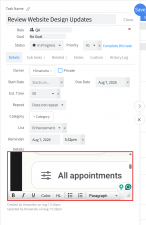
- Detail Box Width: Added the ability to expand the width of the Task and Appointment Detail areas.
- Task Detail Panel: Added collapse functionality and replaced the back arrow with a close icon.
- Task Detail Scrolling: Removed the unnecessary scrollbar from the Task Detail panel.
- Recurring Task Deletion: Added deletion confirmation options for recurring tasks in Daily Planning, matching the Home page experience.
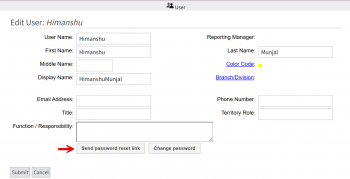
- Manage Users: Added a Send Password/Reset Link option.
- Task & Project Menus: Added the missing pencil icon before the Edit option in the three-dot menu.
- Contact Page: Improved CSS, spacing, and alignment for a more consistent layout.
- Appointment Details: Moved the rich text editor toolbar to the bottom and added color formatting options.
- Opportunity Sidebar: Standardized sidebar typography to match the Organization and Contact panels.
- Custom Fields: Improved the Custom Field popup with a scrollbar and Apply button.
Bug Fixes
- Task Details & Updates: Fixed issues where task details could disappear after adding a note, task details would not load when opening a task from a link, and deleted tasks could remain visible until the page was refreshed.
- Task Creation & Management: Fixed duplicate task creation and an issue where the Task Create form carried over the previously selected list and priority when creating a new task.
- Task Views, Filters & Priorities: Fixed issues with the Today section becoming unavailable after bulk deletion, project task filters not matching the displayed task list, task priorities affecting project task ordering, and progress indicators becoming stuck at 100%.
- Calendar & Recurring Tasks: Fixed issues with opening appointment details from the Calendar context menu and dragging appointments or recurring tasks in Weekly Planning, including recurring tasks appearing on incorrect dates. Also fixed the “Never” session timeout option not keeping users signed in after closing a browser tab.